
The Settings tab
Open the Settings tab in the sidebar, or press ⌘2.
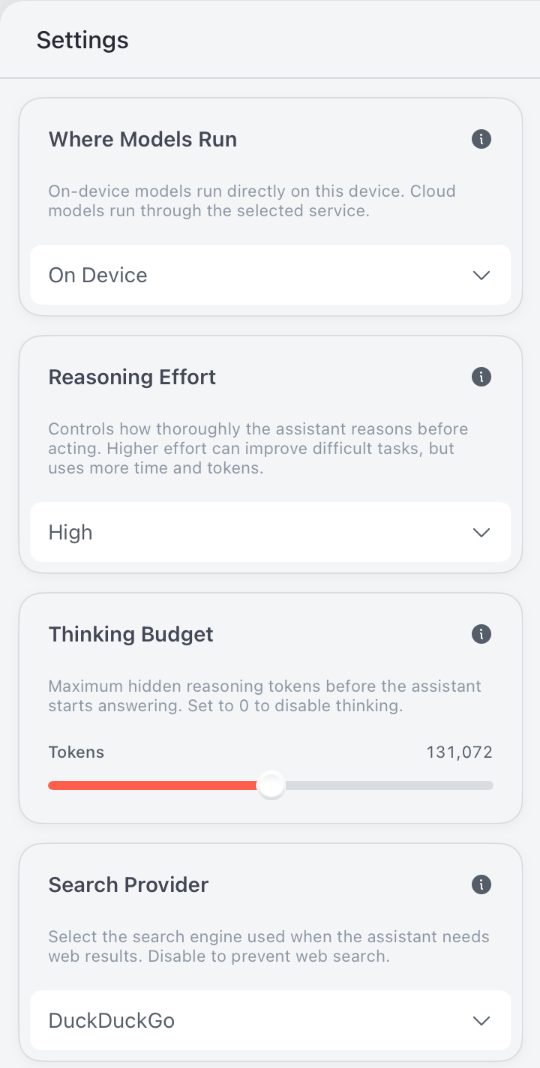
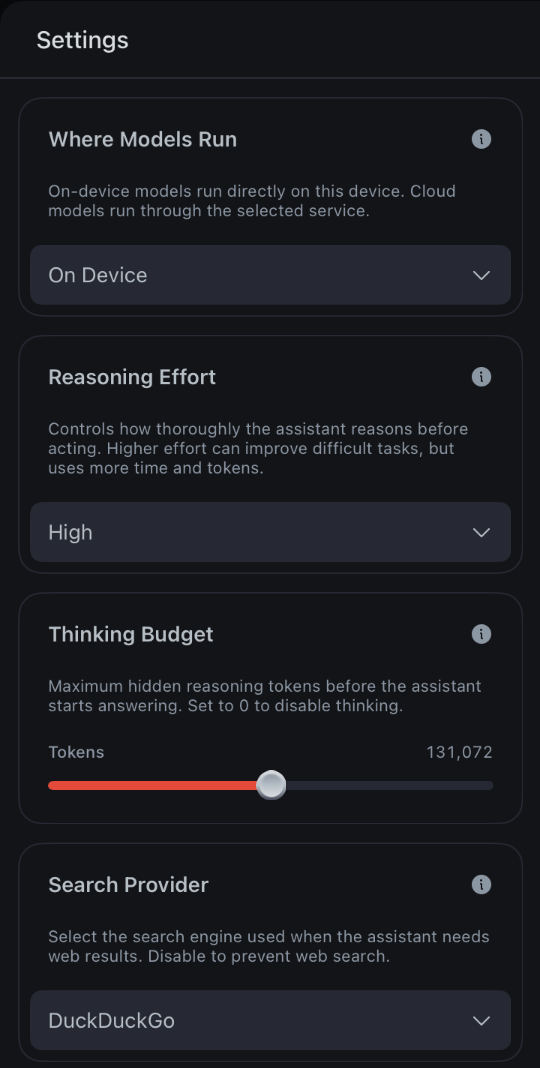
Its options appear in this order:
| Setting | Options | Default | With a cloud model |
|---|---|---|---|
| Where Models Run | On Device or a cloud service | On Device | — |
| Model Folder | In Local Code App or a folder you choose | In Local Code App | Hidden |
| Reasoning Effort | Low, Medium, High, Max | High | Applies |
| Thinking Budget | 0 to 262,144 tokens | 131,072 tokens | Hidden |
| Search Provider | DuckDuckGo, Sogou, Kagi, Brave, Disabled | DuckDuckGo | Applies |
| Work Attitude | Deterministic, Creative | Deterministic | Hidden |
| Memory | On or off | On | Applies |
Above them, Avg. Speed shows the selected model's Prompt Processing and Token Generation speeds. With an on-device model, View more opens Model Speed, which times the model on this device at growing context lengths. Signed in to Cloud Compute, the tab also shows your account balance.
Where Models Run
On Device runs the model on this Mac or iPad. The other choices send inference to a service: Cloud Compute, OpenRouter, OpenAI-Compatible API, OpenAI or Anthropic. On iPhone, On Device isn't offered. See offline use and privacy for what each choice sends where.
With a service selected, its row shows the account. When a conversation fills 90% of the room the model has for input, its context window less the space kept for the reply, Local Code compacts it to make room.
Model Folder
On a Mac with On Device selected, Model Folder picks where on-device models are stored: In Local Code App, or Select a Folder... to use another drive. Models already in the app stay there, and new downloads go to the folder you choose.
- Models load from this folder. When you choose one, Local Code measures how fast it reads and warns Slow drive below 2.5 GiB a second, or Very slow drive below 1 GiB a second.
- The Draw Things integration in the Kit tab has its own Model Folder. Left at In Local Code App, Draw Things models use this folder too.
- Model Folder doesn't appear on iPad.
Reasoning Effort
Reasoning Effort sets how thoroughly the agent reasons before it acts. Higher effort can help with difficult tasks, but takes more time and tokens. Each model receives it in its own way:
| Model | Low | Medium | High | Max |
|---|---|---|---|---|
| Qwen 3.8 27B | Asked to keep its thinking brief | No instruction | Asked to think carefully and check its assumptions | Same as High |
| DeepSeek 4 Flash 0731 | No instruction | No instruction | No instruction | Asked for maximum thoroughness |
| DeepSeek 4.1 Flash 1017 | Effort 50 of 100 | Effort 75 | Effort 75 | Effort 100 |
| GLM 5.3 Flash | Effort Low | Effort High | Effort High | Effort Max |
| Cloud services | Low | Medium | High | Max, or High where the API has no Max |
- With a cloud model, Local Code sends the level as the service's own reasoning-effort setting.
- On a DeepSeek or GLM model, changing the level in the middle of a thread rebuilds its system prompt, so the next reply reads the whole conversation again.
- With Thinking Budget at 0, DeepSeek models don't think, and the level has no effect.
Thinking Budget
Thinking Budget caps the hidden reasoning tokens in each reply. When a reply reaches it, the model stops thinking and starts its answer. Set it with the slider, from 0 to 262,144 tokens in steps of 256. The default is 131,072.
- Set it to 0 to turn thinking off.
- It applies to on-device models only. The Responses API that serves other apps on this Mac uses the same budget.
Search Provider
Search Provider picks the search engine the agent uses when it needs web results. DuckDuckGo and Sogou work without an account. Kagi and Brave need an API key from that service, entered under API Key, and each keeps its own key.
- It applies to cloud models as well as on-device ones.
- Disabled turns off the agent's web search tool. It doesn't stop the agent from opening a site in the browser or reaching the network with commands such as
curl.
Work Attitude
Work Attitude applies to on-device models. With Deterministic, the model writes its answer by always picking its most likely next token, so the answer follows from its thinking. The thinking itself still varies. Creative samples the answer too, for more varied results. The change applies to the open thread right away.
GLM 5.3 Flash samples its answer with either choice, because always picking the most likely token can make it repeat itself deep into a long task. Deterministic keeps it close to its most likely tokens, and Creative gives it more room.
Memory
Memory lets the agent keep notes about you and each project in USER.md and MEMORY.md. It's on by default, applies to cloud models too, and turning it off applies to every project. See memory in project files for what's saved and how to edit it.
Continue with Machine Settings for the options about this device.